Post buyer requests
Ask for a placement on a specific website and let publishers come to you with offers you can accept or reject.
Sometimes the website you want is not listed in the marketplace, or you want publishers to compete for your order. Buyer requests turn the flow around: you describe what you need, and publishers send you offers.
When to use a buyer request
- You want a placement on a specific domain that you cannot find in Browse.
- You want to compare offers from several publishers before committing.
- You have particular requirements, such as guaranteed Google indexing or a tight deadline.
Post a request
- Open My Requests in the sidebar.
- Click the button to create a new request.
- Fill in the form:
- Domain Name: the website you want the placement on, for example
example.com. - Service Type: guest post or link insertion.
- Link Type: Dofollow or Nofollow.
- Google Indexing: whether you require the published page to be indexed by Google.
- Description: any additional requirements, such as topic, word count, or placement position.
- Required Delivery (Days): 3, 5, 7 (recommended), 14, or 30 days.
- Budget Range (USD): an optional minimum and maximum, for example $25.00 to $100.00, to set price expectations.
- Domain Name: the website you want the placement on, for example
- Submit the request. It becomes visible to publishers who can serve that domain.
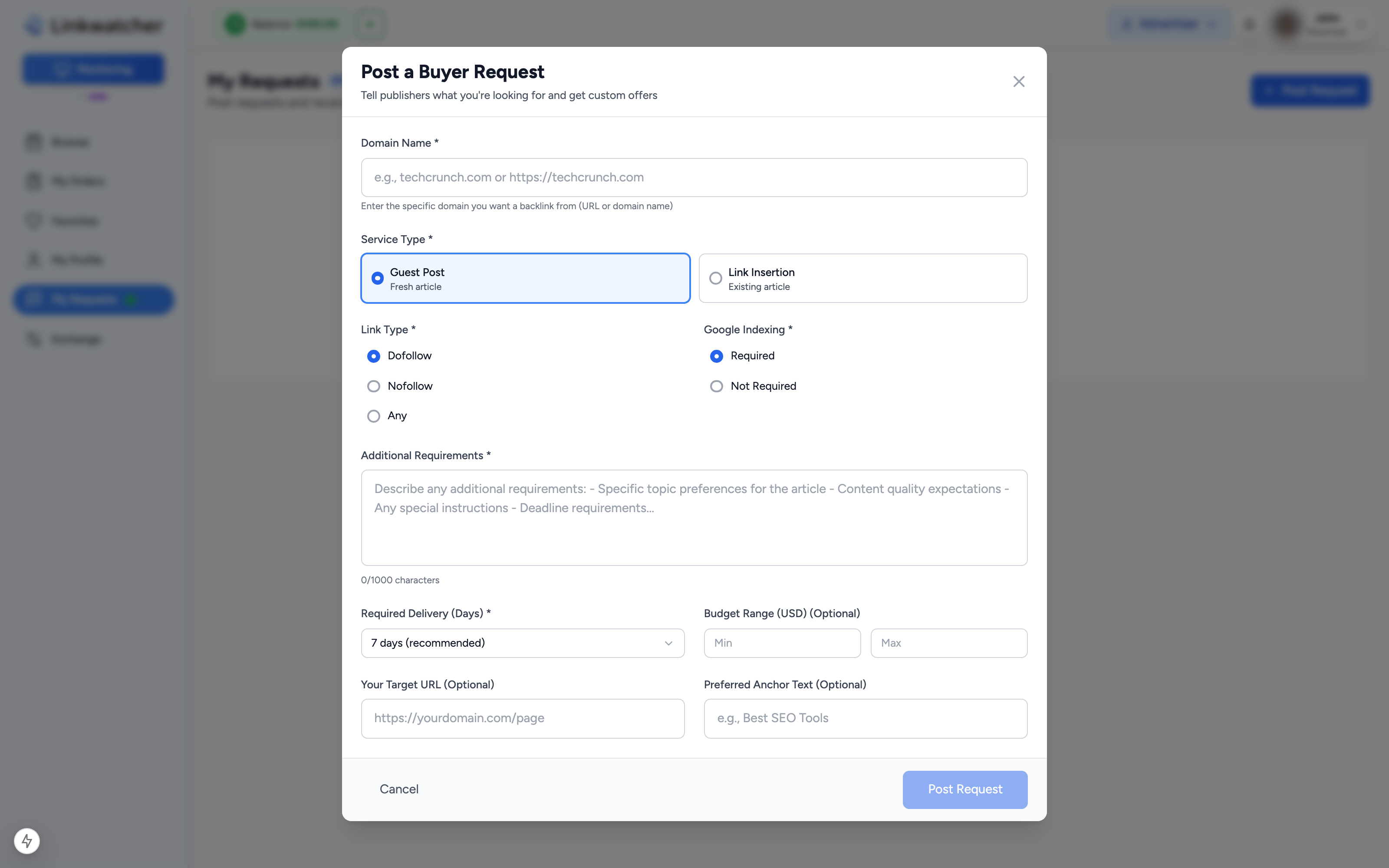
Note: Enter just the domain, with or without https. The form cleans it up automatically.
Track your requests
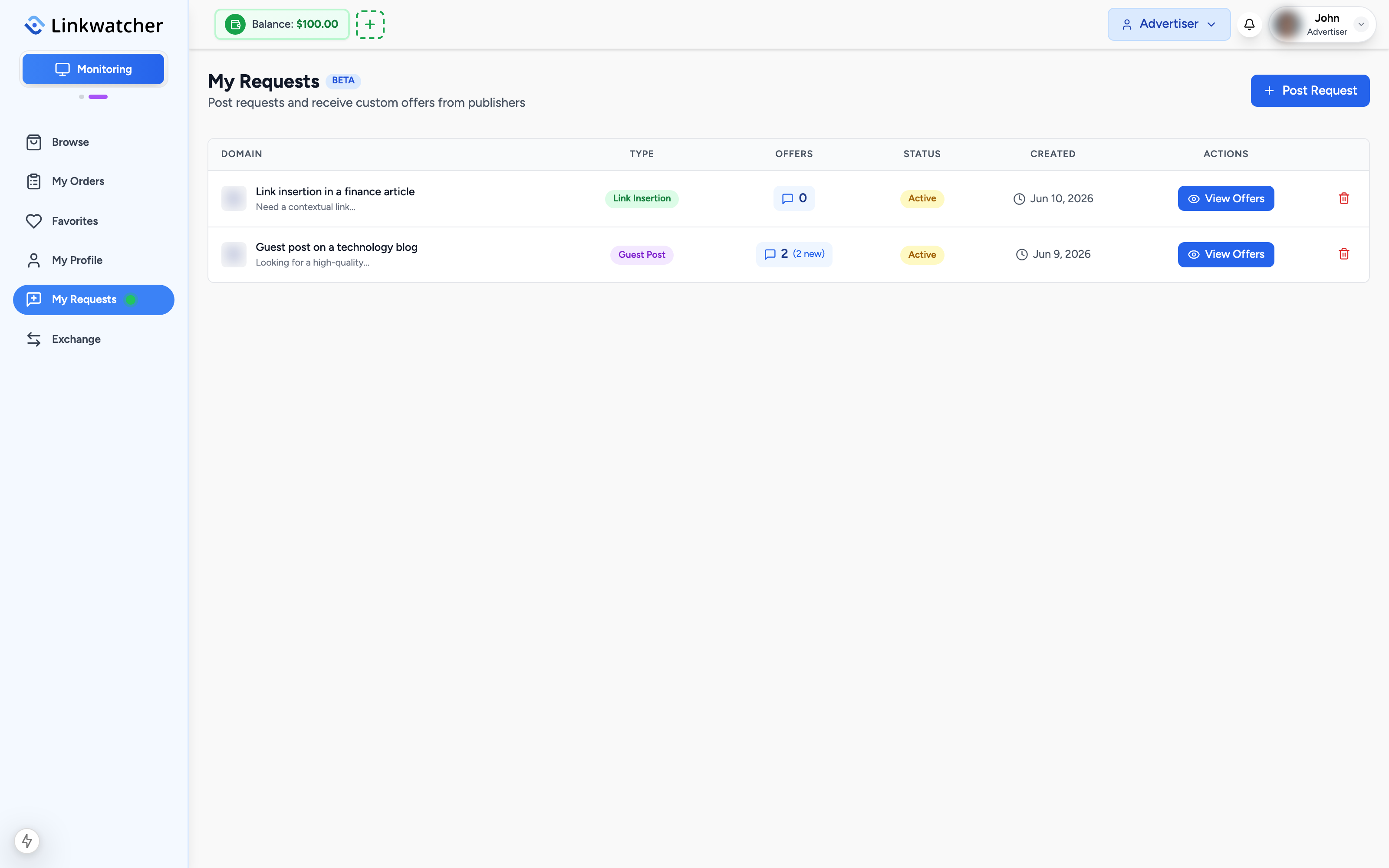
The My Requests page lists all of your open and past requests with their status and the number of offers received. Open any request to see its full details or to close it if you no longer need it.
Review publisher offers
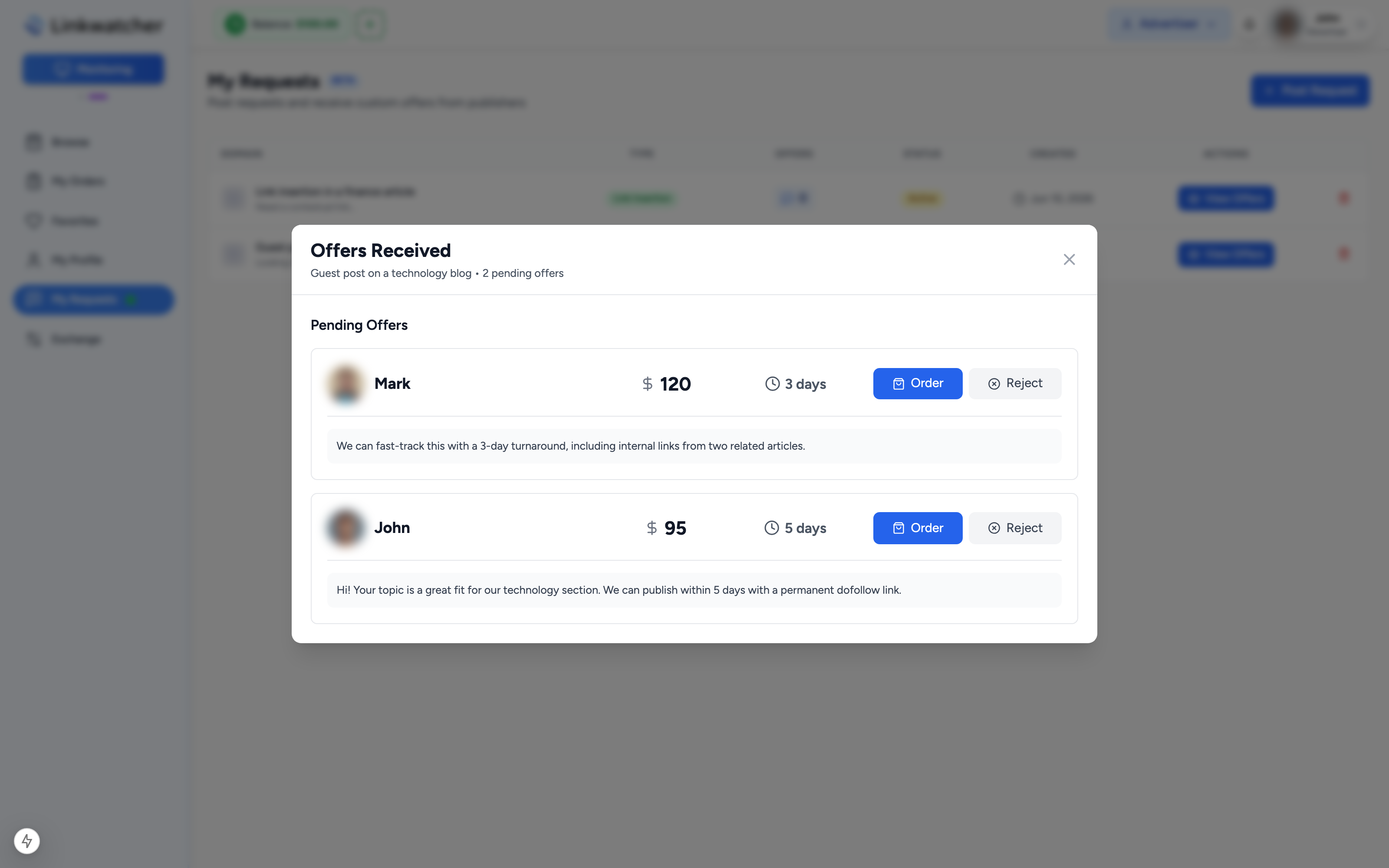
When publishers respond, their offers are attached to your request:
- Open the request and view its offers.
- Each offer shows the publisher, their price, delivery time, and any message they included.
- Compare the offers against your budget and requirements.
Accept or reject an offer
For each offer you have two choices:
- Reject: declines the offer. The publisher is notified, and your request stays open for other offers.
- Accept: confirms you want to proceed with this publisher at the offered price.
Accepting an offer takes you straight into the standard order flow with the domain, publisher, service, and price already filled in from the offer. From there you provide your content, target URL, and anchor text, then pay exactly as you would for a regular order.
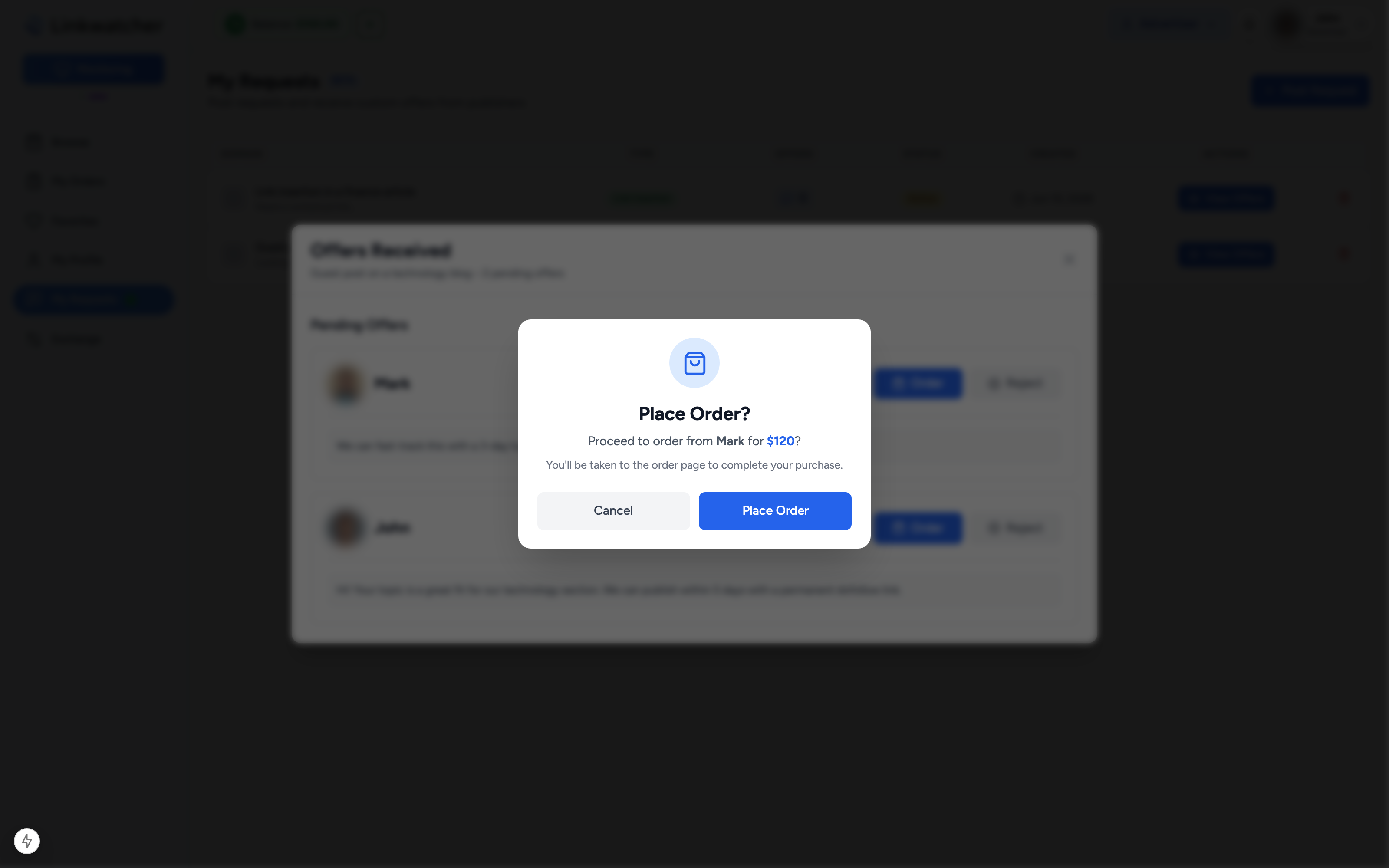
Note: Accepting an offer does not charge you by itself. Payment happens at the end of the order flow, and the order is covered by the same money-back guarantee as any marketplace purchase.
Tips for better offers
- Set a realistic budget range. Requests with no budget or an unrealistically low one attract fewer offers.
- Use the description to state must-haves clearly: niche relevance, word count, indexing, and anything you would otherwise put in a revision request later.
- Choose 7 days or more for delivery unless you genuinely need it faster. Tight deadlines reduce the number of publishers willing to offer.