Manage your orders
Track order statuses, review delivered work, request revisions, and understand auto-acceptance and refunds.
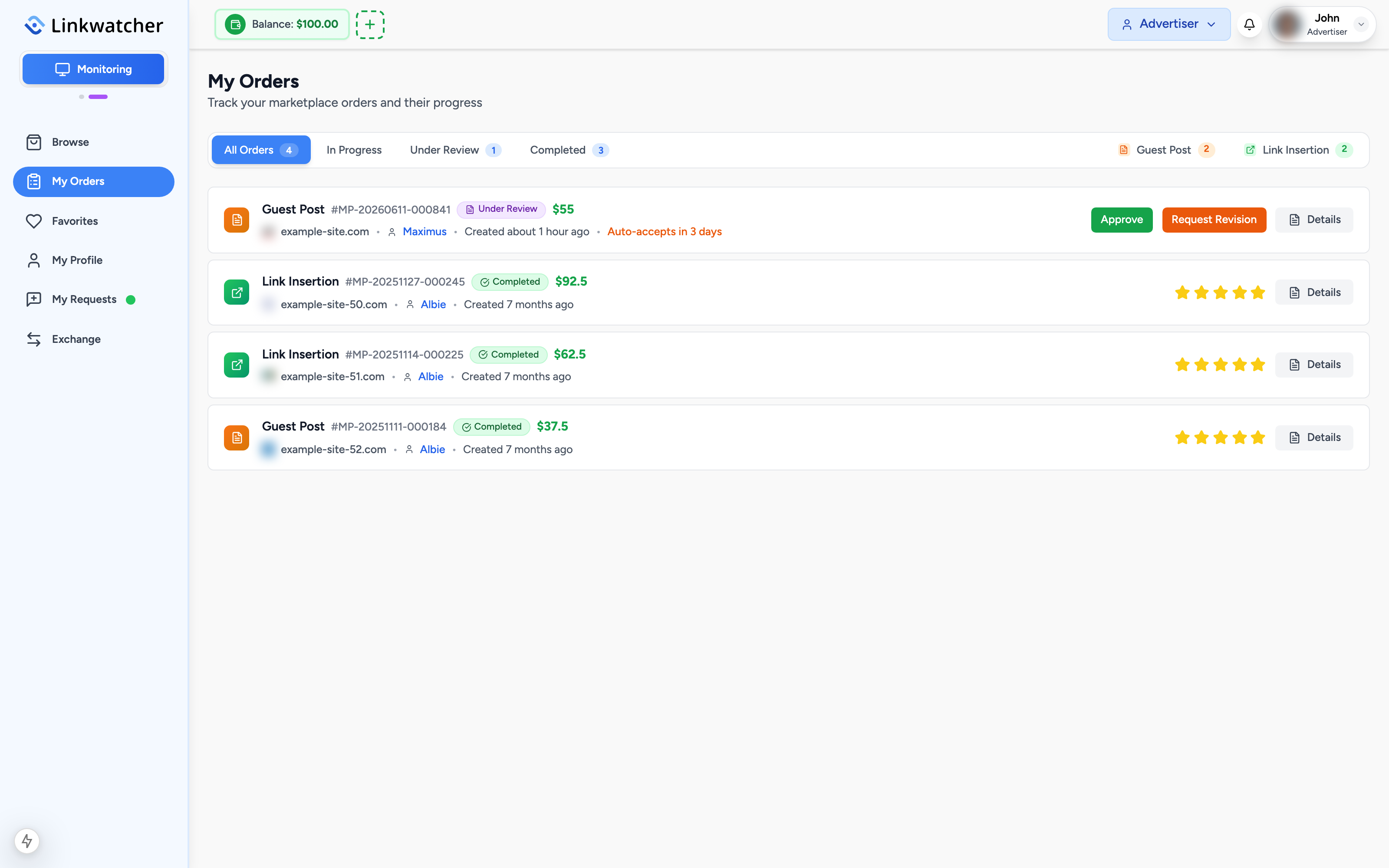
The My Orders page in the sidebar is your control center for everything you have bought. Each order shows its current status, the website, the publisher, and the actions available to you.
Order statuses
An order moves through a series of statuses. The ones you will see most often as a buyer:
- Pending Payment: the order exists but has not been paid yet.
- In Progress: the order is paid and the publisher is working on it. This covers the publisher accepting the order and writing or placing your content.
- Article Submitted / Submitted: the publisher has delivered the work, usually with a live URL for you to check.
- Revision Requested: you asked for changes and the publisher is reworking the delivery.
- Completed: you accepted the work, or it was auto-accepted. The order is final and the publisher is paid.
- Rejected / Cancelled: the order will not be fulfilled. Your money is refunded.
- Refunded: the refund has been credited to your balance.
If you ordered professional content writing, you will also see content stages such as Article Writing and Article Approved before the placement happens.
Reviewing a delivered order
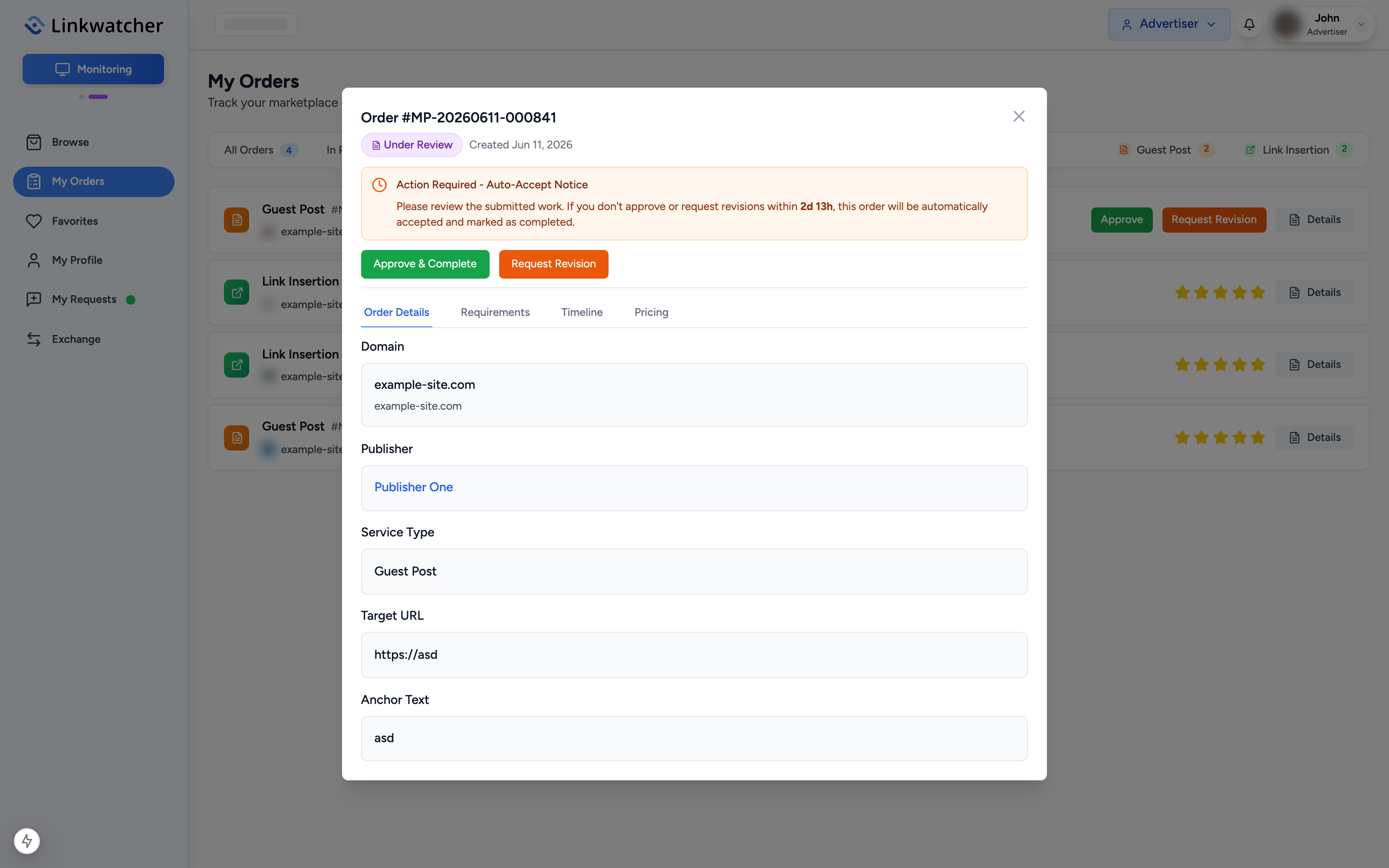
When an order reaches Submitted, it is your turn:
- Open the order from My Orders to see the details and the published URL.
- Visit the URL and check that the content is live, your target link is present, and the anchor text is correct.
- If everything looks good, accept the order.
- If something is wrong, request a revision instead.
Requesting a revision
If the delivery does not match what you ordered:
- Click Request Revision on the submitted order.
- Describe exactly what needs to change, for example a wrong anchor text or a missing link.
- Submit. The order status changes to Revision Requested and the publisher is notified.
- When the publisher resubmits, review the work again.
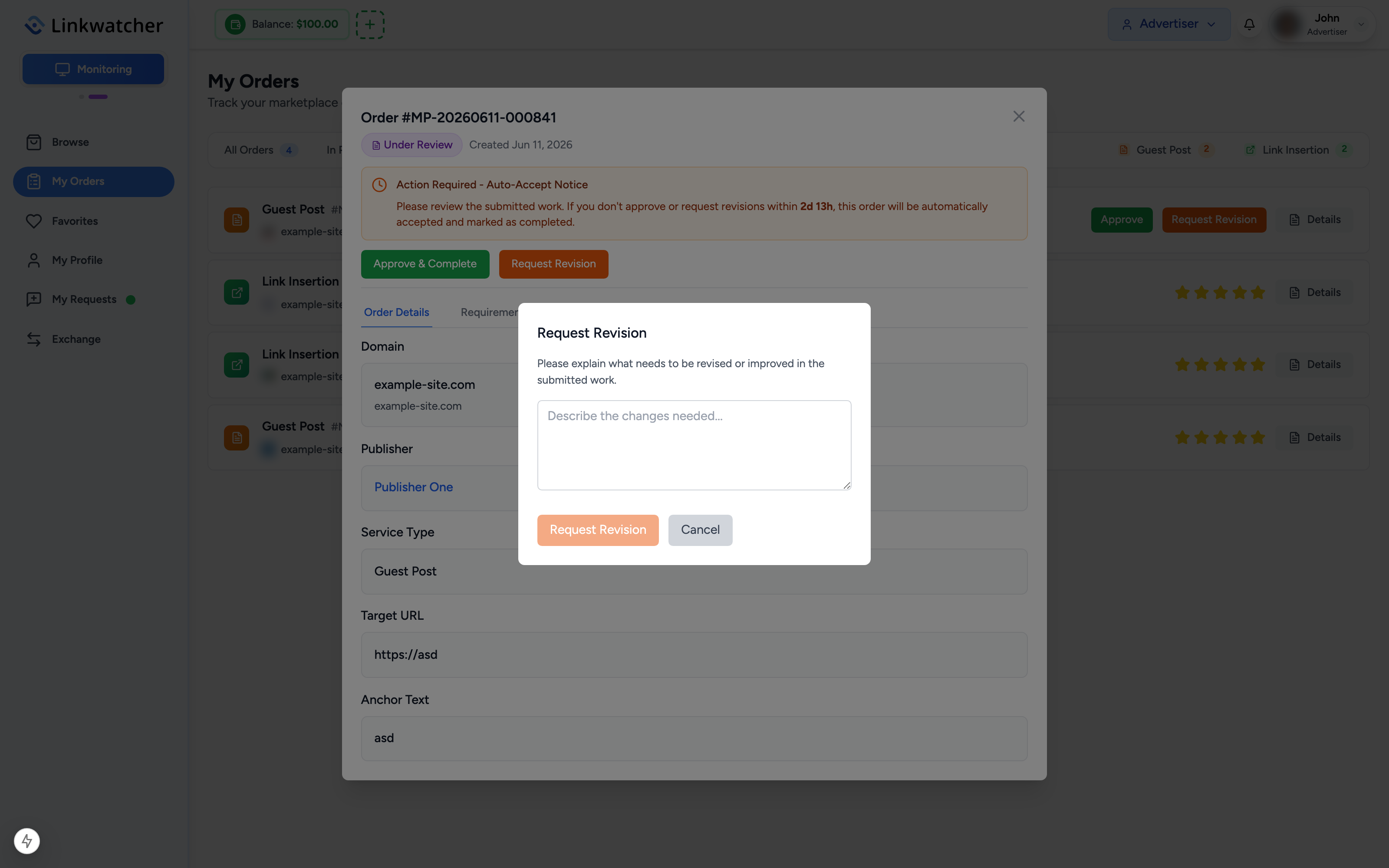
Note: Be specific in your revision notes. A clear request like "the anchor text should be 'project tools', not 'click here'" gets resolved much faster than a general complaint.
72-hour auto-acceptance
Once a publisher submits the work, a 72-hour review window starts. The order card shows a countdown such as "Auto-accepts in 2 days". If you neither accept nor request a revision within 72 hours, the order is automatically accepted and the publisher is paid.

Warning: Review delivered orders promptly. After auto-acceptance the order is completed and can no longer be revised or refunded.
Money-back guarantee and refunds
Every order is covered by a 100% money-back guarantee until it is accepted:
- If the publisher rejects or fails to deliver the order, you are refunded automatically.
- If you cancel an eligible order, you are refunded.
- Refunds are credited to your account balance, where you can spend them on new orders immediately or keep them for later.
There is no separate dispute process: the protection works through revision requests while an order is under review, and automatic refunds when an order is rejected or cancelled. If you run into a situation the flow does not cover, contact support.