Account verification (KYC)
Submit identity documents on the Account Status page, understand task statuses, and see why verification is required for payouts.
To keep the marketplace safe and to comply with payment regulations, Linkwatcher verifies publisher identities before releasing payouts. Verification happens through tasks on the Account Status page.
Why verification is required
Payouts send real money to bank accounts, PayPal, and Payoneer. See Earnings and payouts for details on how to manage your account balance and request withdrawals. Identity verification (often called KYC, "know your customer") confirms that the person receiving the money is the account holder, prevents fraud, and protects both buyers and publishers. Until your verification tasks are approved, payouts can be held.
Find your verification tasks
- Go to Settings in the publisher sidebar.
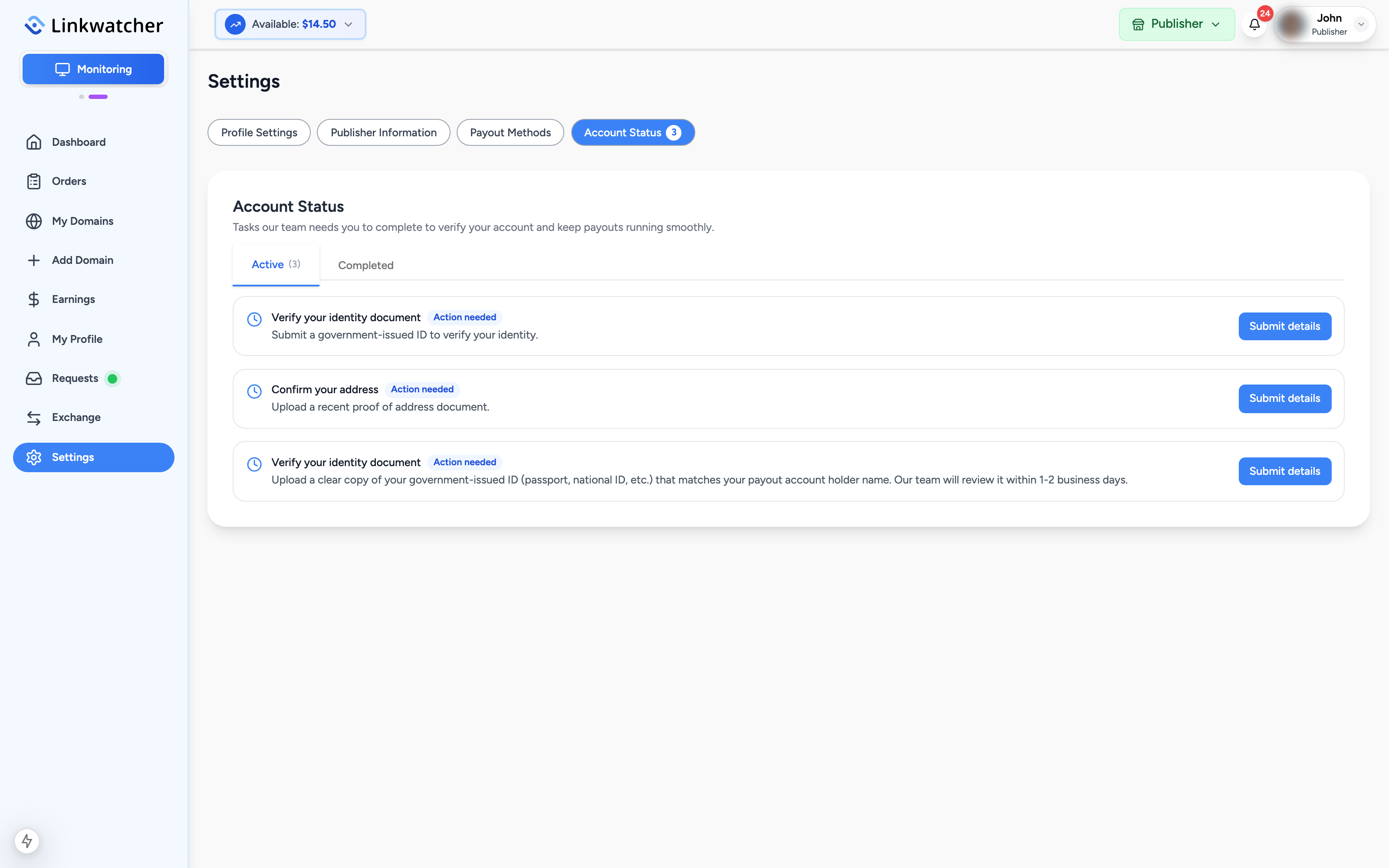
- Open the Account Status tab. A red badge on the tab shows how many tasks need your action.
- Tasks are grouped into Active (waiting for you or in review) and Completed (approved).
You will also see a banner at the top of the publisher dashboard whenever a task needs your action; clicking it takes you straight here.
Task statuses
Each task card shows one of three statuses:
- Action needed: the task is waiting for you to submit details.
- In review: you have submitted, and the team is checking your documents. Nothing to do but wait.
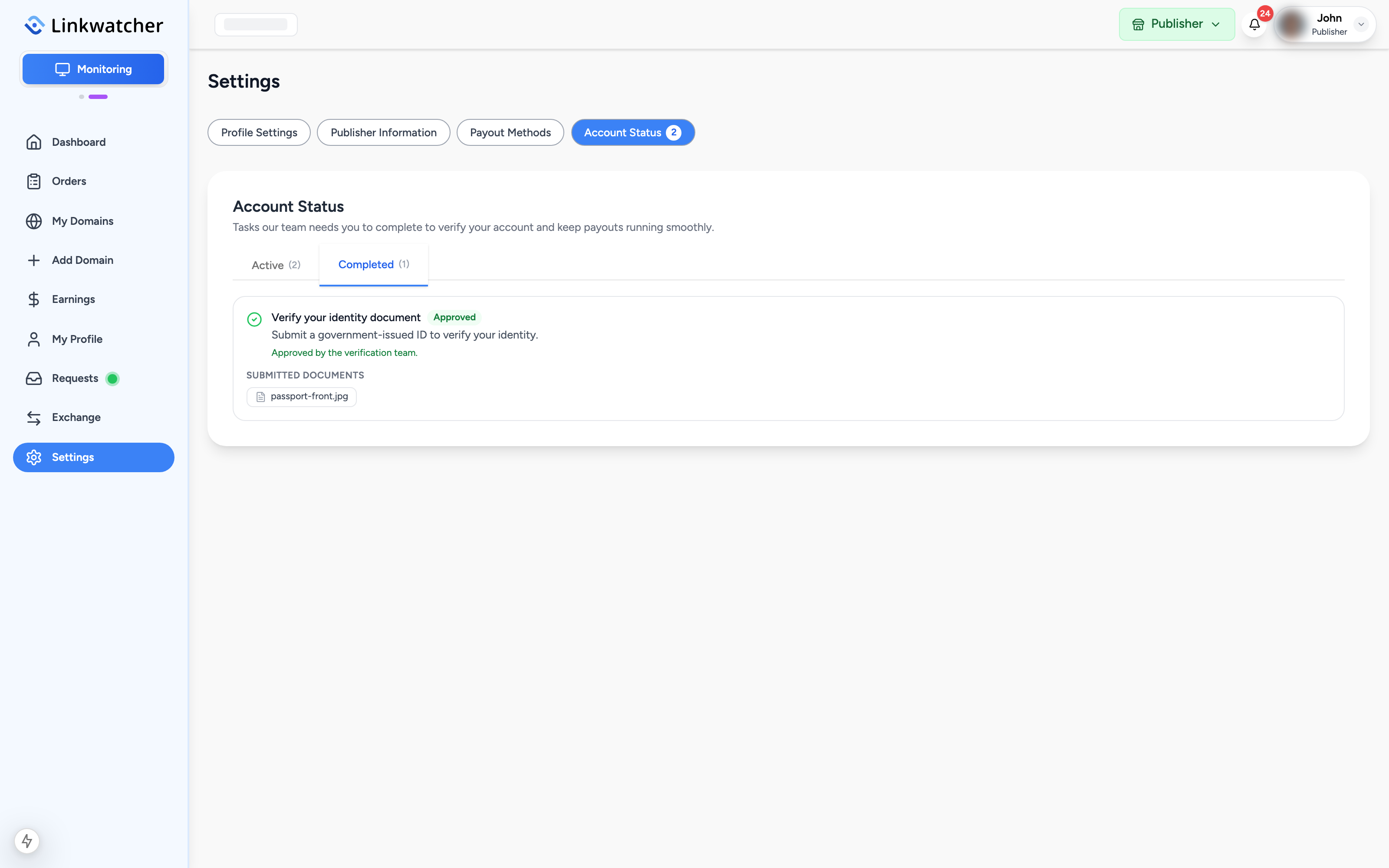
- Approved: the task is complete. It moves to the Completed tab.
If the reviewer needs more information, the task returns to Action needed with a note explaining what is missing. Click Provide more to submit again; your earlier documents remain attached.
Submit identity documents
For an identity verification task:
- Click Submit details on the task card.
- Select the Country of issue: the country that issued your document. If your country is not in the list, choose "Other (not listed)" and type it in.
- Select the Document type: Passport, National ID Card, Driver's License, or Residence Permit.
- Enter the Document number. Type it without dashes or spaces; separators are removed automatically.
- Upload the document. You can either upload front and back images or a single PDF.
- Click Submit for review.
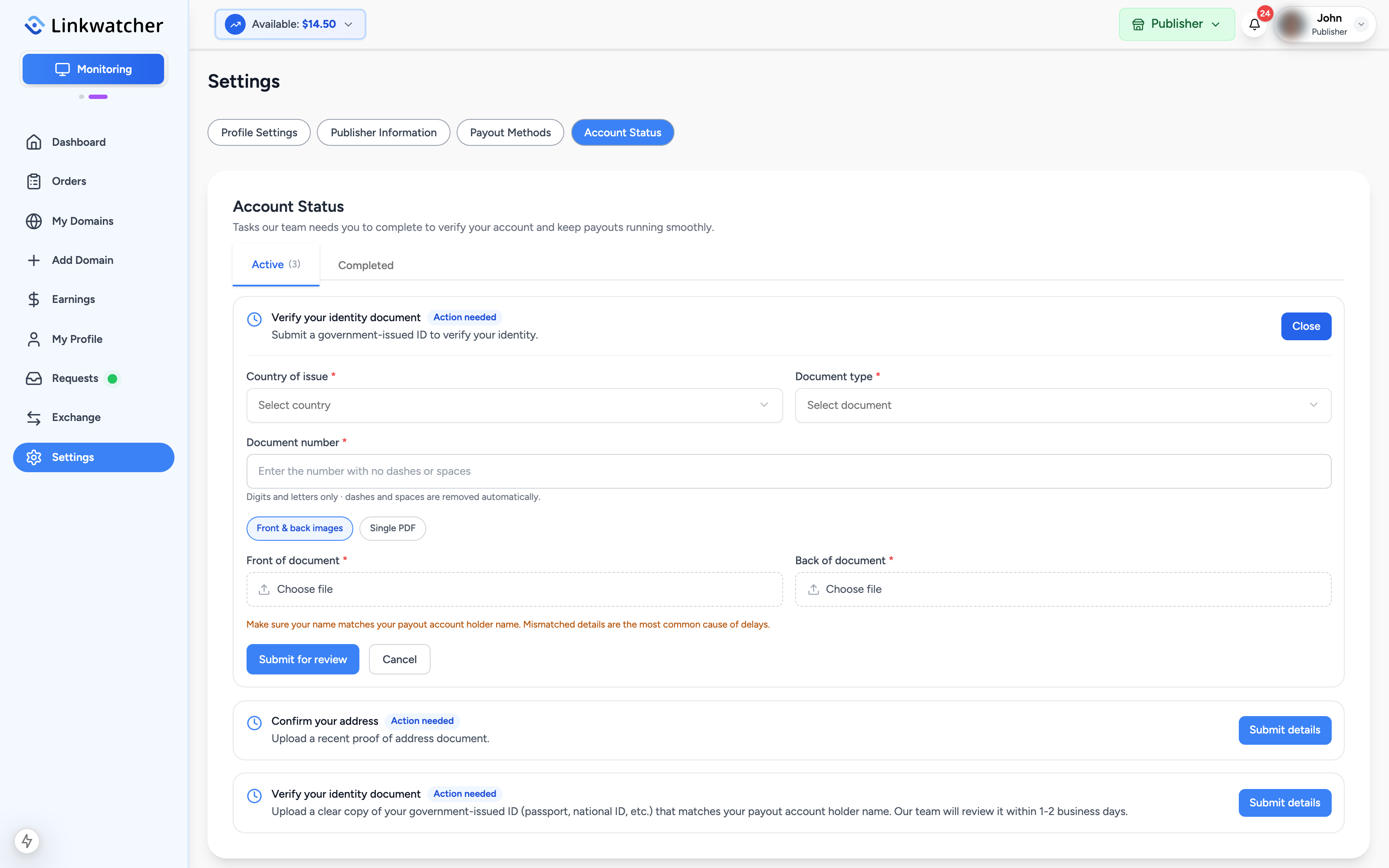
Warning: Make sure the name on your documents matches the account holder name on your payout method. Mismatched names are the most common cause of payout delays.
After submitting, the task shows In review and your uploaded documents are listed on the card.

Proof of address tasks
Some publishers are also asked to confirm their address:
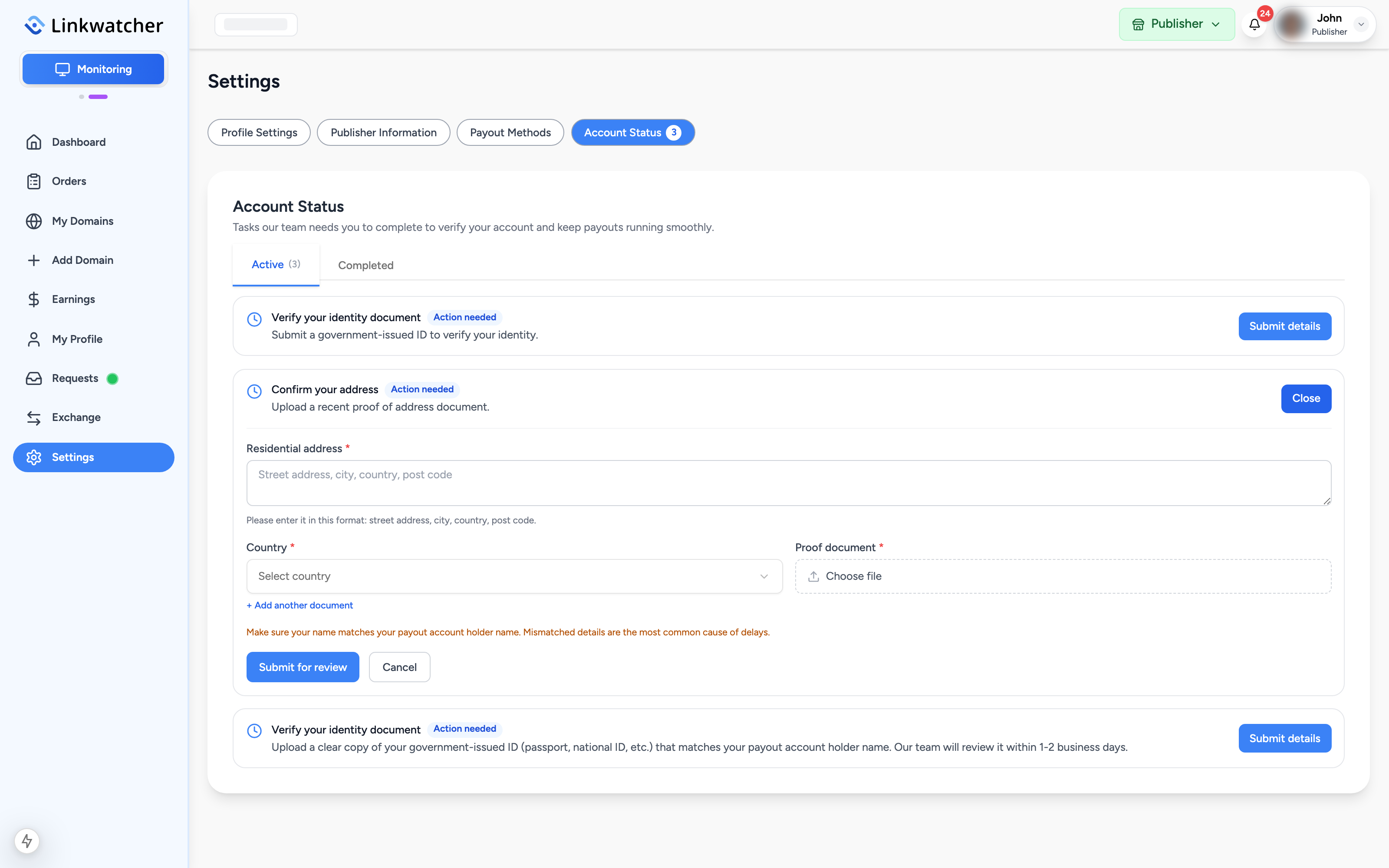
- Enter your residential address in the format: street address, city, country, post code.
- Select your country.
- Upload at least one proof document, such as a utility bill or bank statement (image or PDF). You can add more documents if needed.
- Click Submit for review.
After approval
Approved tasks appear under the Completed tab, the dashboard banner disappears, and payouts proceed normally. Approval is always done by the review team; tasks cannot be marked complete by the publisher.
Note: Documents are used only for verification and are handled confidentially. If you have questions about a request, contact support before submitting.