Earnings and payouts
Track your balance and earnings history, add a payout method, and request payouts with the applicable minimums and fees.
The Earnings page in Publisher mode shows everything about your money: your balance, your earnings per order, and your payout history. Payouts are requested from this page.
The earnings page
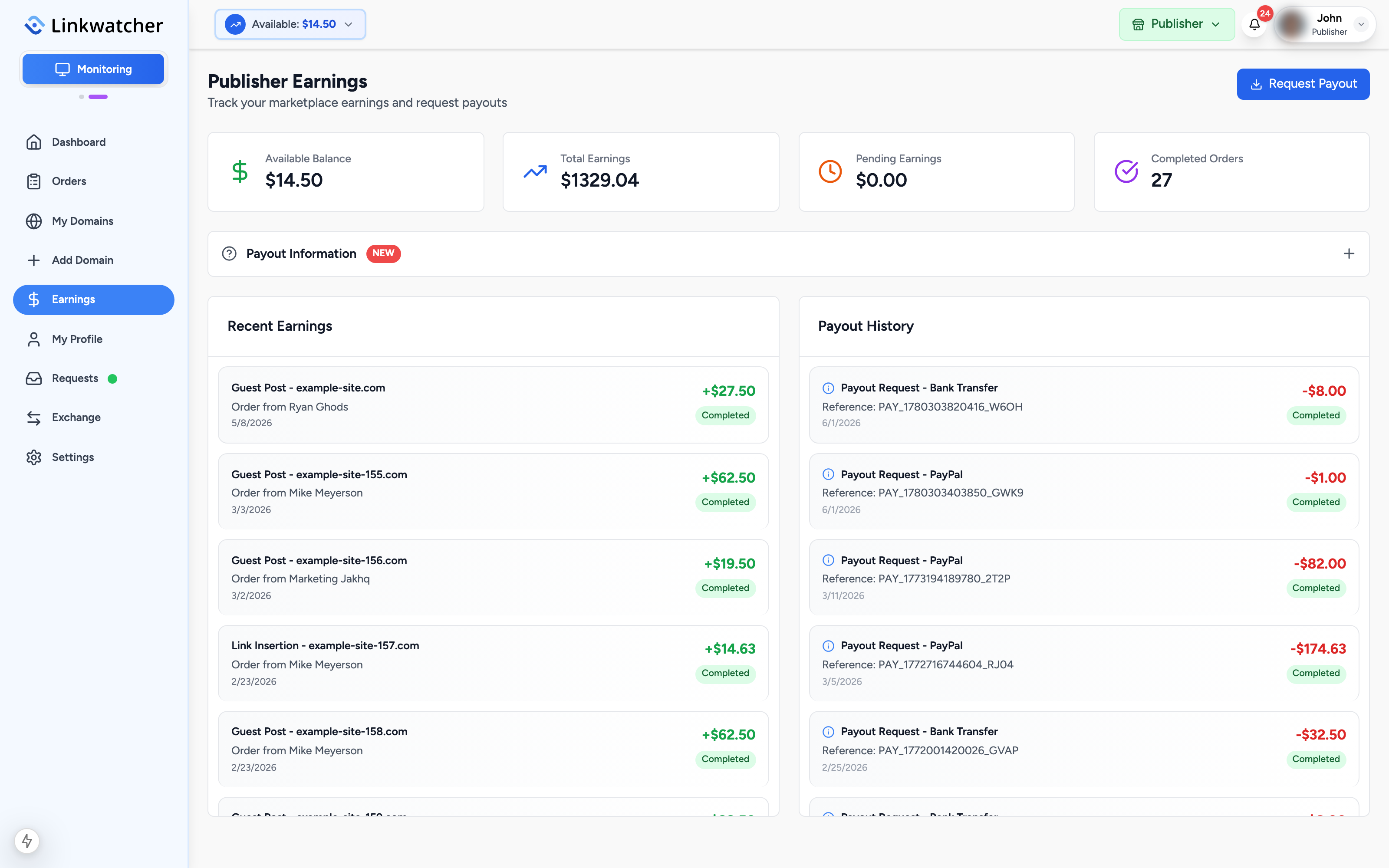
Open Earnings from the publisher sidebar. Four cards summarize your account:
- Available Balance: money you can pay out right now.
- Total Earnings: everything you have earned to date.
- Pending Earnings: money from orders that are still in progress. It becomes available when the order completes.
- Completed Orders: your number of finished orders.
Below the cards, Recent Earnings lists each completed order with the service type, domain, and amount, and Payout History lists every payout request with its status (pending, processing, completed, or rejected with a reason).
Before your first payout
Two things must be in place:
- Publisher information: your legal name, street address, city, postal code, and country, entered under Settings, Publisher Information. Payout requests are blocked until this is complete.
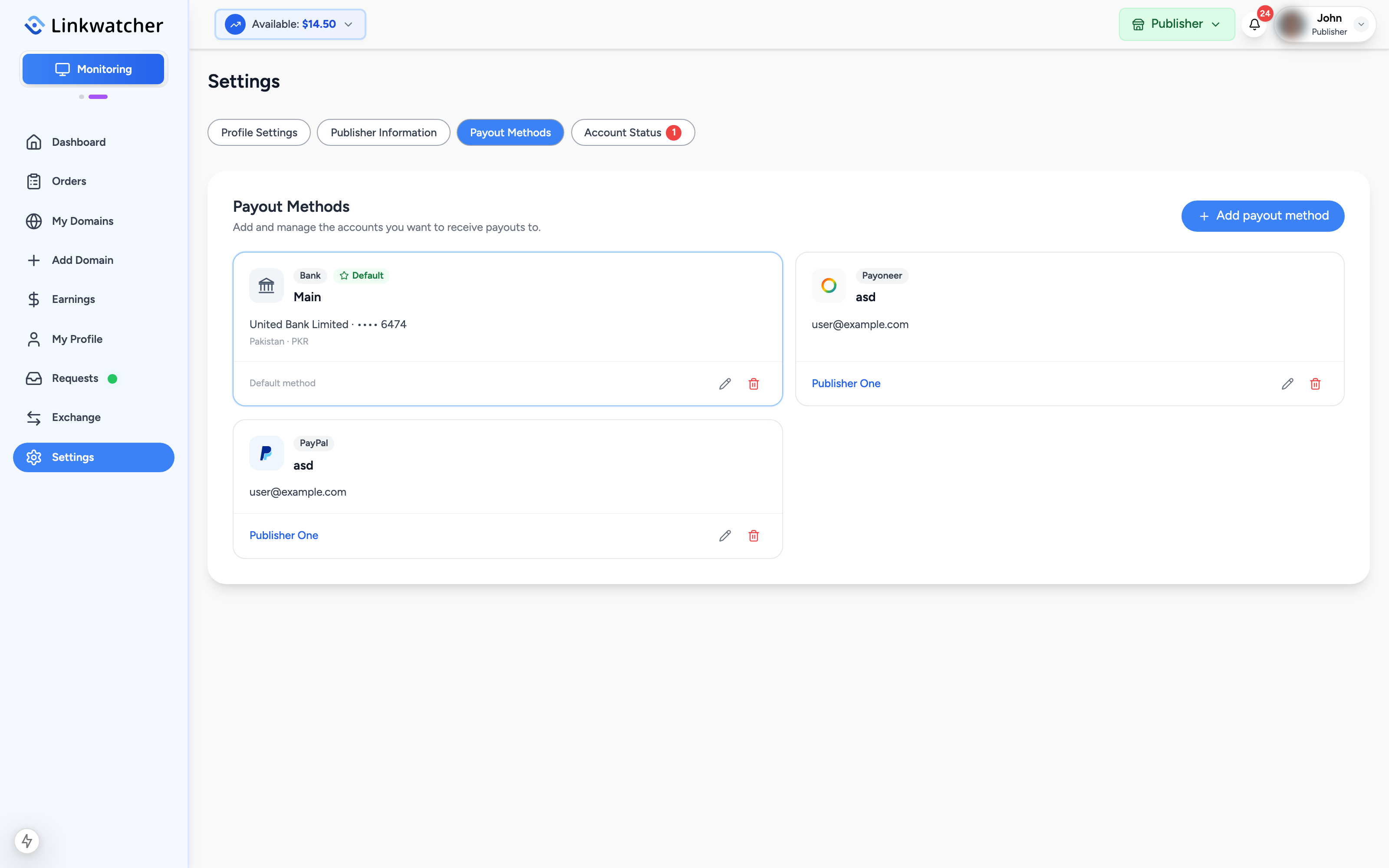
- A payout method: added under Settings, Payout Methods. Three types are supported:
- Bank transfer: account holder name, bank country, currency, and the account fields for your country (for example IBAN and SWIFT/BIC, or account and routing numbers).
- PayPal: your PayPal email address.
- Payoneer: your Payoneer email address.
You can save several methods and mark one as the default.
Warning: The name on your payout method should match the name on your verified identity documents. Mismatched details are the most common cause of payout delays.
Minimums, fees, and timelines
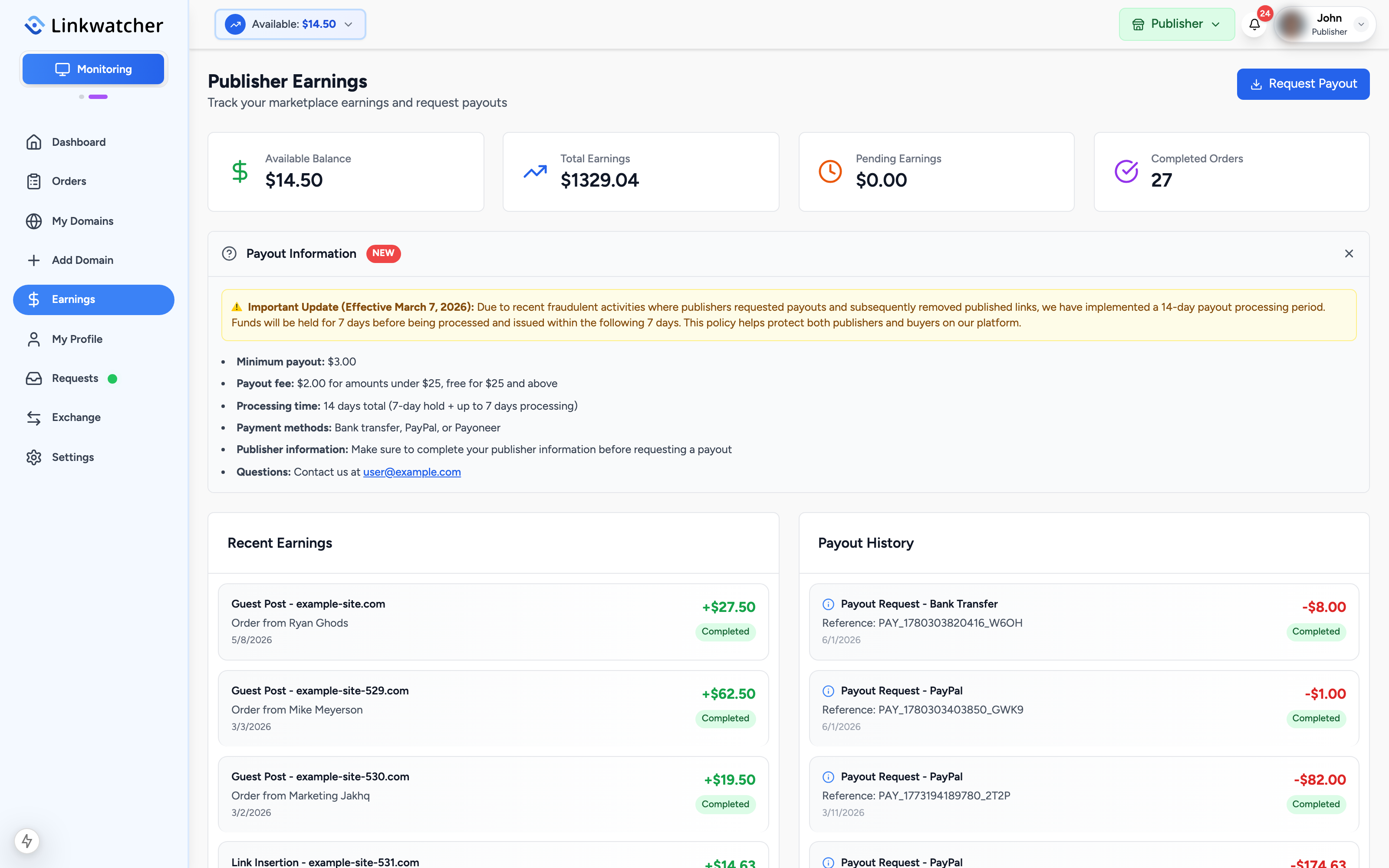
- Minimum payout: $50.00 for bank transfer (smaller amounts cannot be sent to a bank). PayPal and Payoneer direct payouts can be as low as $10.00.
- Payout fee: 3% on bank transfers only. PayPal and Payoneer payouts are free.
- Processing time: 14 days in total. Funds are held for 7 days and then issued within the following 7 days. This hold protects buyers and publishers against fraud, such as links being removed right after a payout.
The Earnings page has a Payout Information panel with the current rules; open it any time for the latest details.
Request a payout
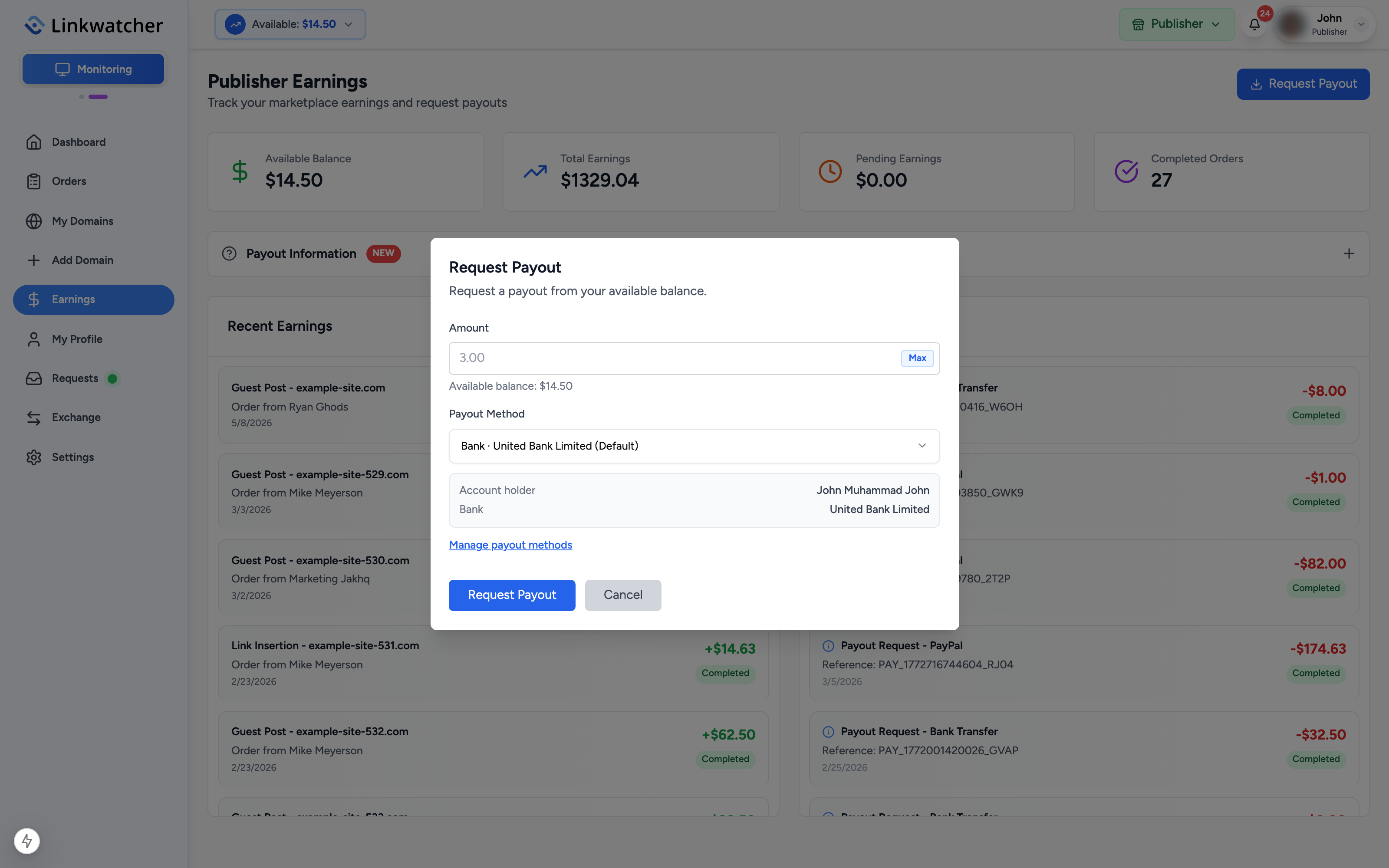
- On the Earnings page, click Request Payout.
- Enter the amount to withdraw, for example $25.00, or click Max to use your full available balance.
- Select a payout method from your saved methods. The key details are shown so you can double-check them (account numbers are masked).
- Click Request Payout.
- A confirmation dialog shows the amount deducted from your balance, any fee, and exactly what you will receive. Click Confirm Payout.
The request then appears in your Payout History as Pending, moves to Processing, and finally Completed when the money has been sent. If a request is rejected, the reason is shown on the entry and the funds return to your balance.
Note: Account verification (KYC) may be required before payouts are released. If a verification task is open, you will see a banner on your dashboard and a badge on the Account Status tab in Settings. See the account verification guide.