Exchange for publishers
Trade placements with other publishers, post exchange requests, manage incoming offers, and complete exchange orders.
The Exchange lets publishers swap placements with each other instead of paying for them: you publish a link for a partner, and the partner publishes a link for you. As a publisher you can post exchange requests on your own domains, receive and review offers, and manage the resulting exchange orders.
The exchange dashboard
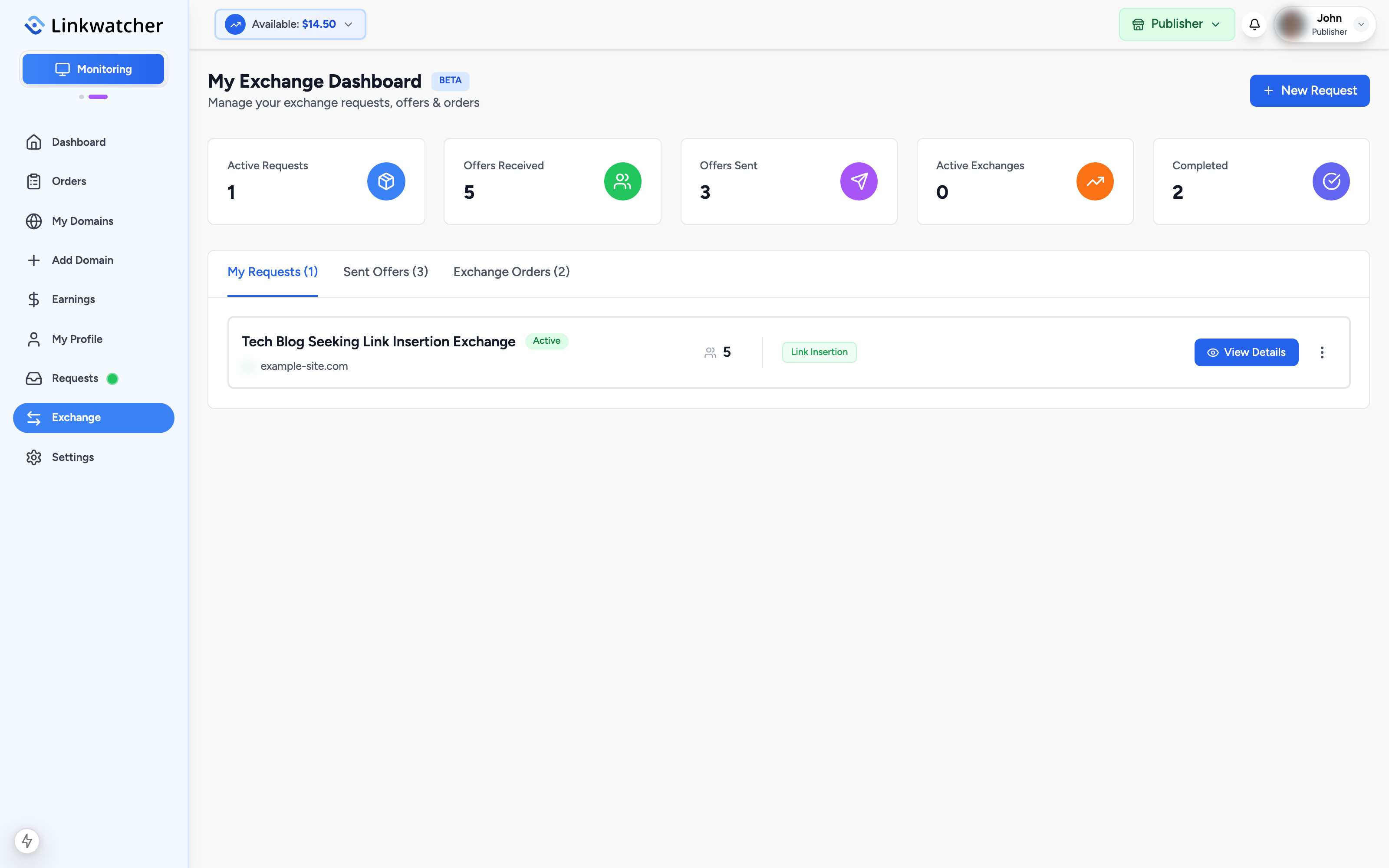
In Publisher mode, click Exchange in the sidebar. The dashboard shows five stats: Active Requests, Offers Received, Offers Sent, Active Exchanges, and Completed. Below them, three tabs organize your activity:
- My Requests: exchange requests you have posted.
- Sent Offers: offers you have made on other publishers' requests.
- Exchange Orders: active and finished exchanges.
Post an exchange request
- Click New Request.
- Select one of your domains. Only verified owner domains can be used for exchange requests.
- Choose the exchange type: guest post or link insertion.
- Add a title and a description of what you are looking for in a partner site.
- Submit the request. It becomes visible to other publishers browsing the exchange.
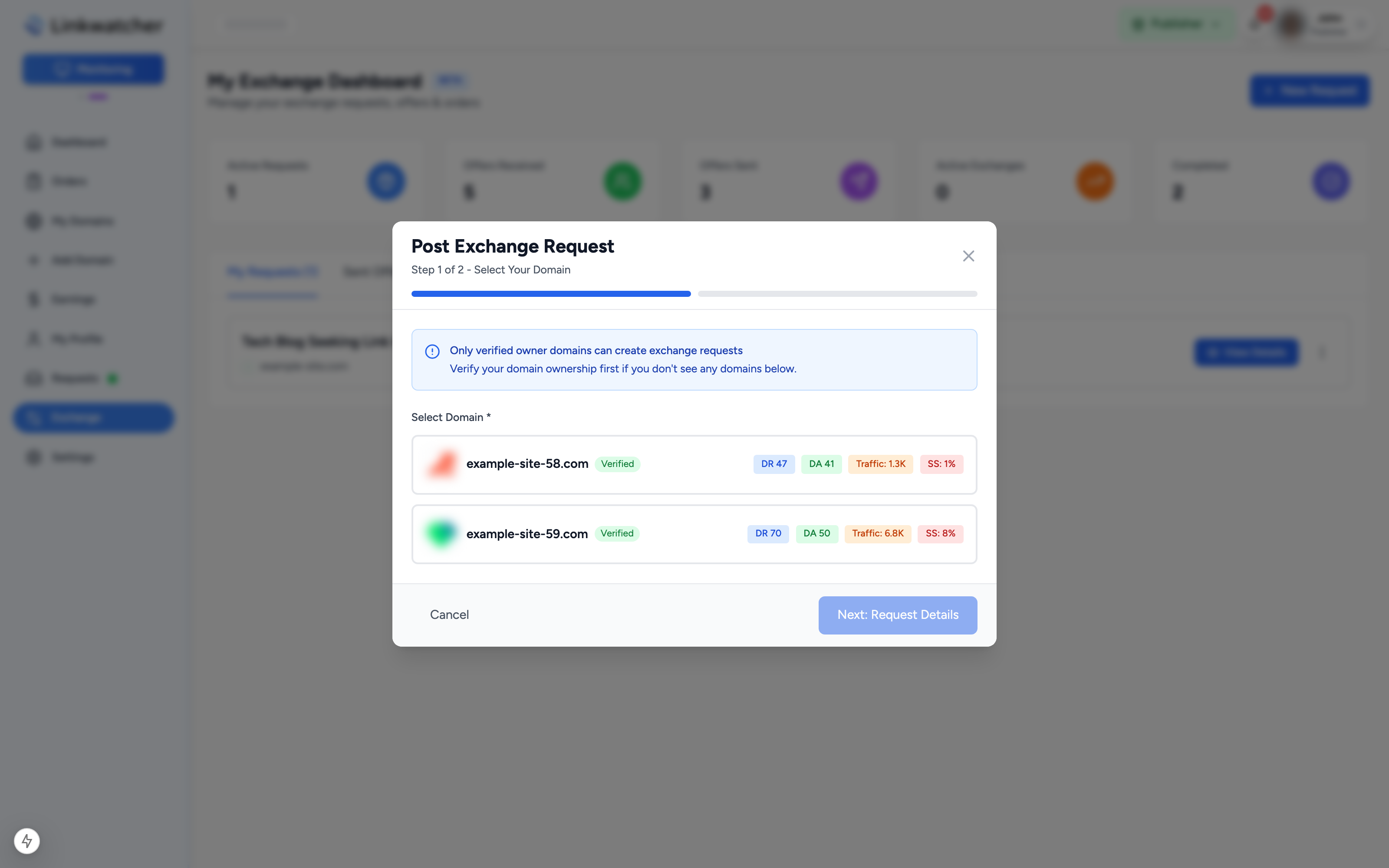
Note: Reseller listings and unverified domains cannot post exchange requests. Verify your domain ownership first from the My Domains page.
Manage offers on your requests
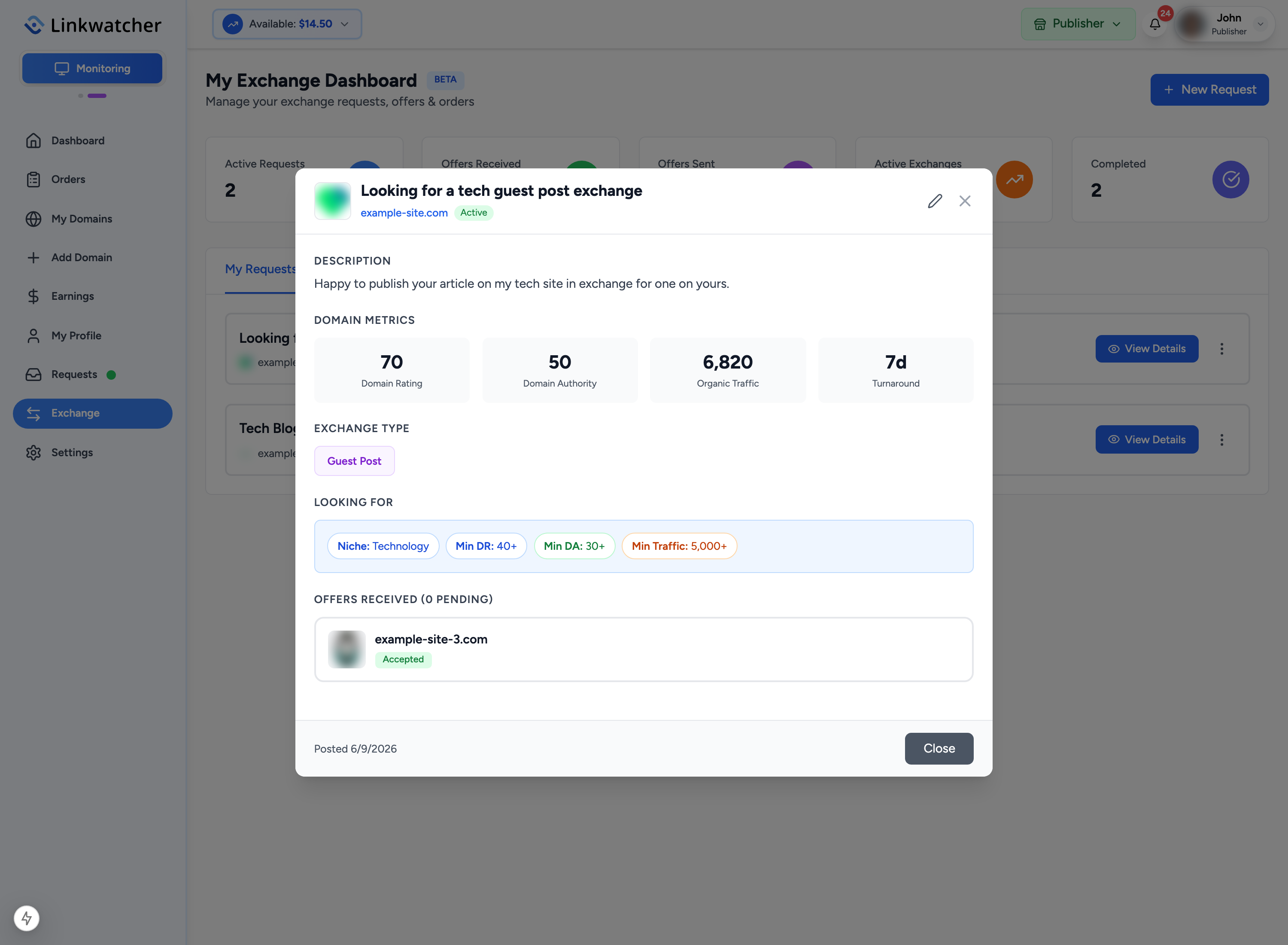
When other publishers respond to your request, the card on My Requests highlights how many new offers are waiting.
- Click View Details on the request.
- Review each offer, including the partner's domain and its metrics.
- Accept the offer you like. For a guest post exchange you provide your proposed topic, target URL, and anchor text; for a link insertion you provide the article URL, target URL, and anchor text. Accepting creates an exchange order for both sides.
- Reject offers that do not fit.
You can also pause a request at any time: open the menu on the request card and choose Disable Request to hide it, or Enable Request to make it visible again.
Send offers to other publishers
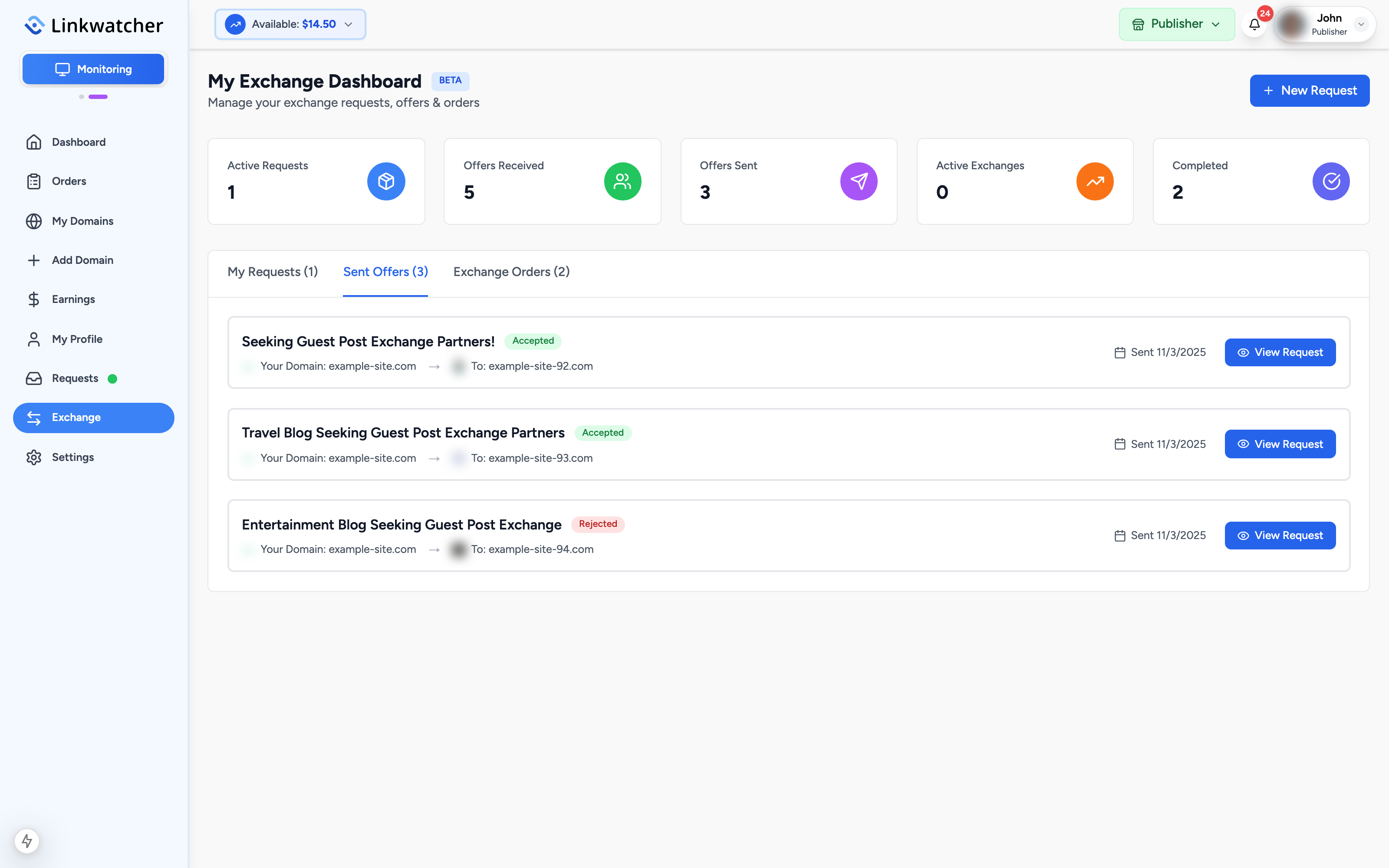
Exchange requests from other publishers are browsed on the advertiser-side Exchange page; the Sent Offers tab links you there. Offers you send appear in the tab with their status (Pending, Accepted, or Rejected), and you can Withdraw an offer while it is still pending.
Complete an exchange order
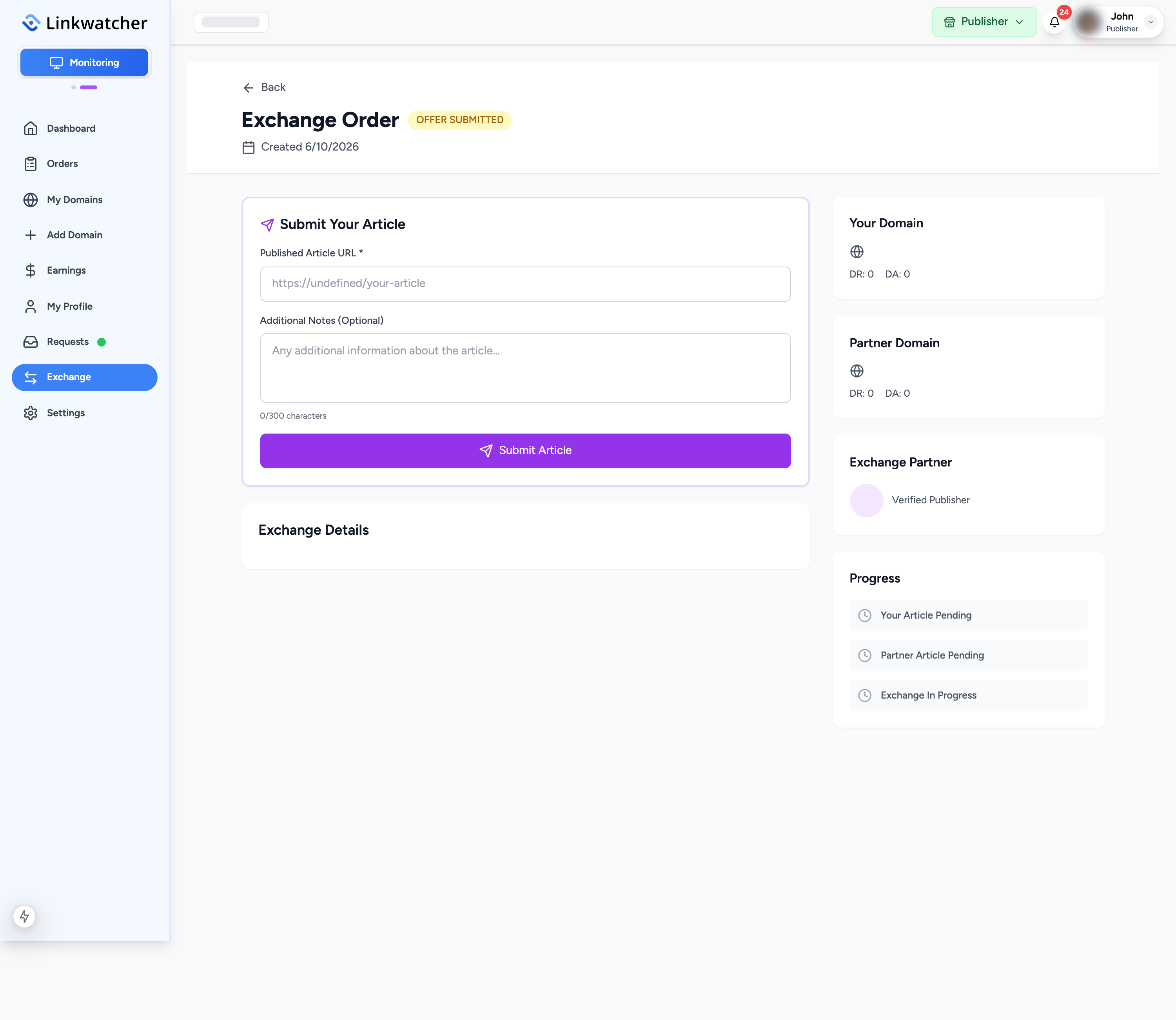
When an offer is accepted, an exchange order appears under Exchange Orders for both partners. Each side now publishes the agreed content on their own site:
- Click Manage Exchange on the order.
- Publish the article or insert the link on your domain as agreed.
- Submit your live link details: article title, article URL, anchor text, and target URL. For link insertions you confirm the link has been inserted.
- Wait for your partner to do the same. The order status moves from pending submissions, to one side submitted, to Both Submitted.
- Once both sides have submitted, all links are revealed to both partners. Verify your partner's placement, then confirm completion. When both confirm, the order is Completed.
Warning: Only submit after the content is actually live on your domain with the partner's link in place. Your partner verifies it before confirming, and disputes can be raised on problem exchanges.
Exchanges do not involve payments or earnings; the value is the placement you receive in return. Keep your end of every exchange to remain a trusted partner.