Getting started as a publisher
Switch to Publisher mode, complete the required contact details, and find your way around the publisher dashboard.
As a publisher you can list your websites on the Linkwatcher marketplace, receive guest post and link insertion orders from advertisers, and get paid for the work you deliver. This guide shows you how to enter Publisher mode and what you will see once you are there.
Switch to Publisher mode
The marketplace has two sides: Advertiser (buying placements) and Publisher (selling placements on your own sites). You can switch between them at any time.
- Open the marketplace from your Linkwatcher account.
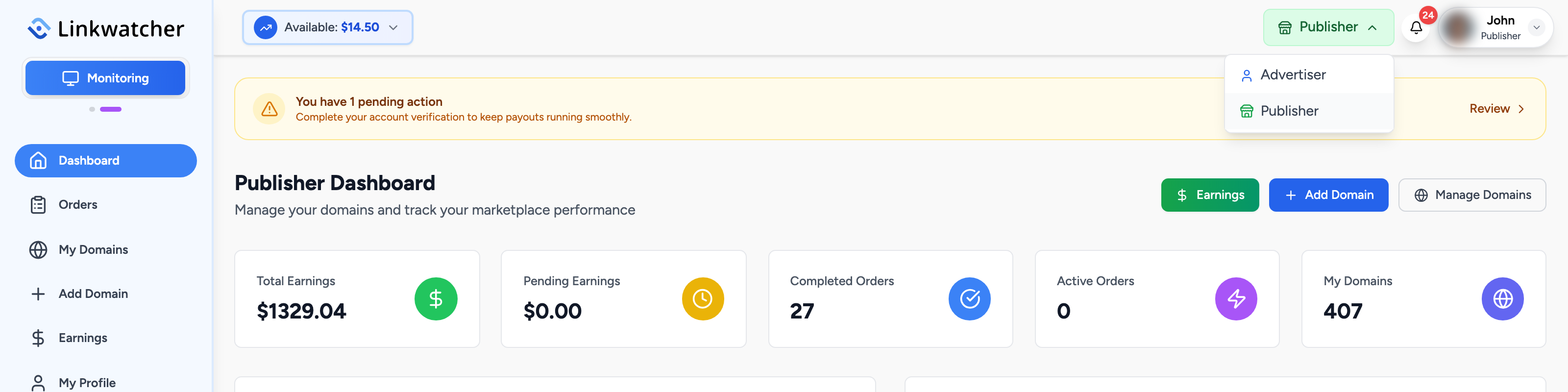
- Find the role switcher in the top navigation bar. It shows your current mode, for example "Advertiser".
- Click it and choose Publisher from the dropdown.
- You are taken to the Publisher Dashboard, and the sidebar changes to publisher navigation.
Note: Switching modes does not change your account. You can act as both an advertiser and a publisher with the same login.
Provide your contact details (required)
The first time you open the publisher area, a window asks for a contact method. You cannot continue as a publisher until this is saved.
- Choose WhatsApp or Telegram.
- For WhatsApp, enter your phone number with country code, for example +1234567890 (8 to 15 digits).
- For Telegram, enter your username, for example @username (5 to 32 characters, letters, numbers, and underscores).
- Click Save Contact Details.
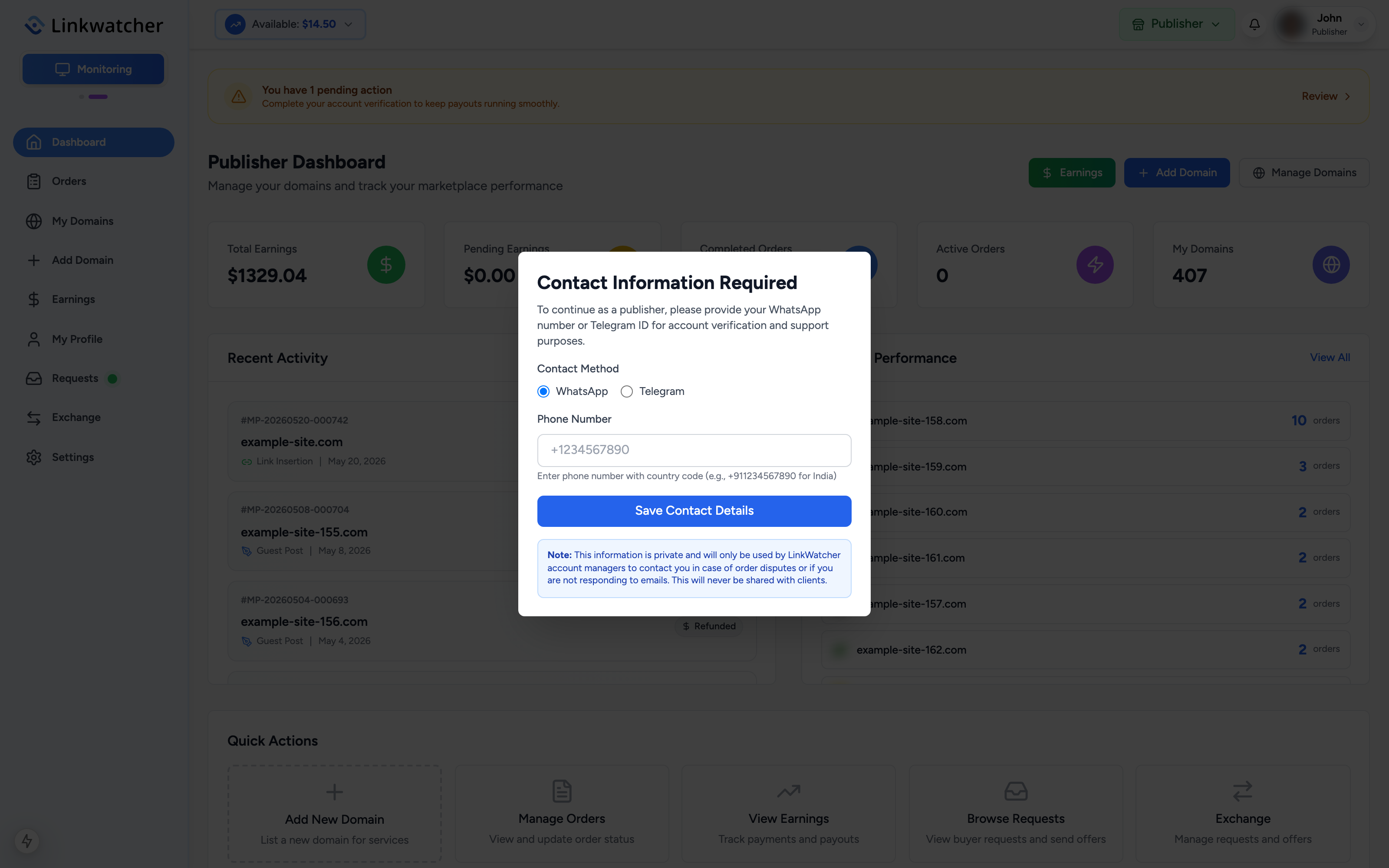
This information stays private. It is only used by Linkwatcher account managers to reach you about order disputes or when you are not responding to emails. It is never shared with clients. You can change it later under Settings, Publisher Information.
Warning: If your account has been suspended, the publisher area shows a suspension notice with the reason instead of the dashboard. Contact support to resolve it.
The publisher dashboard
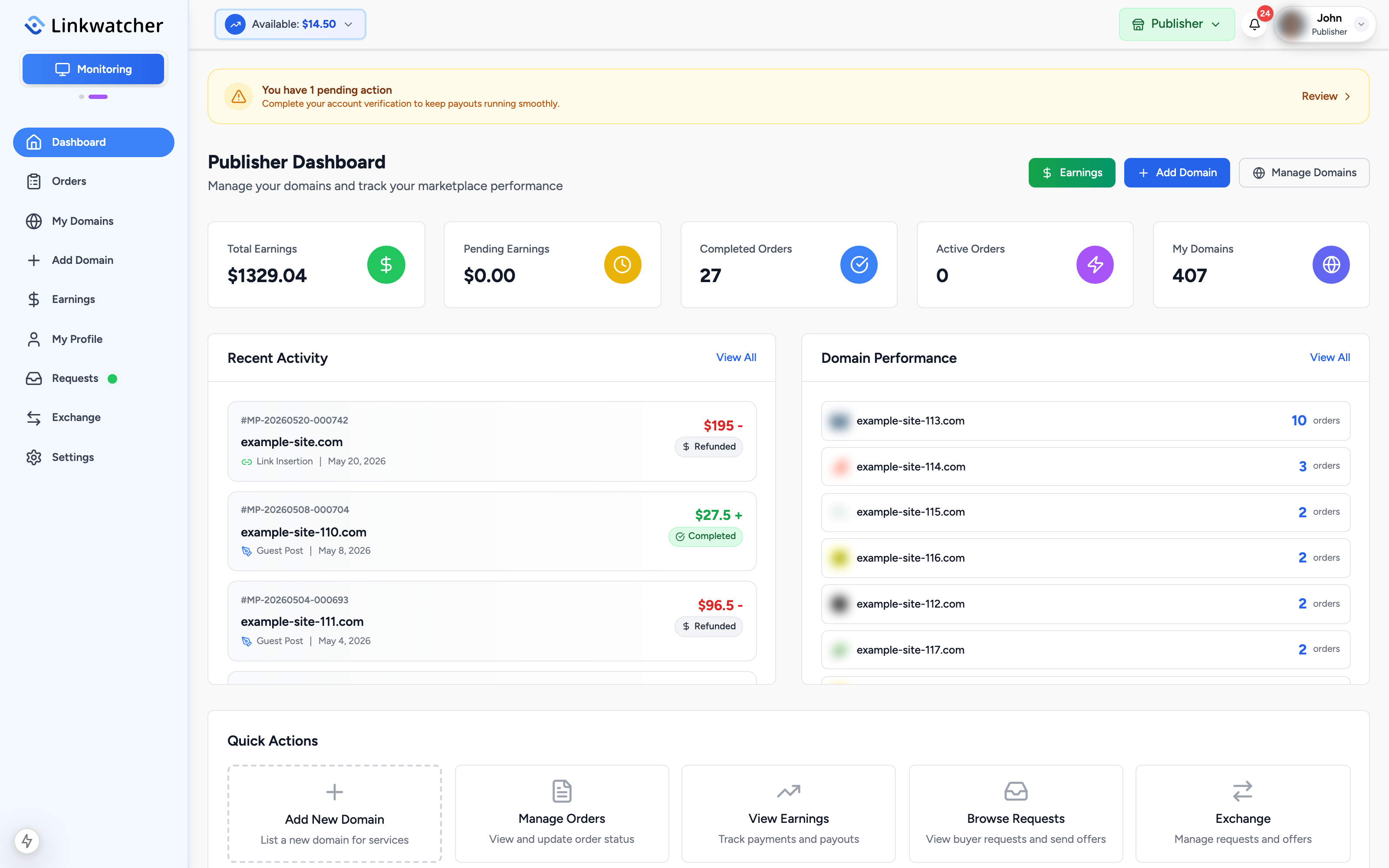
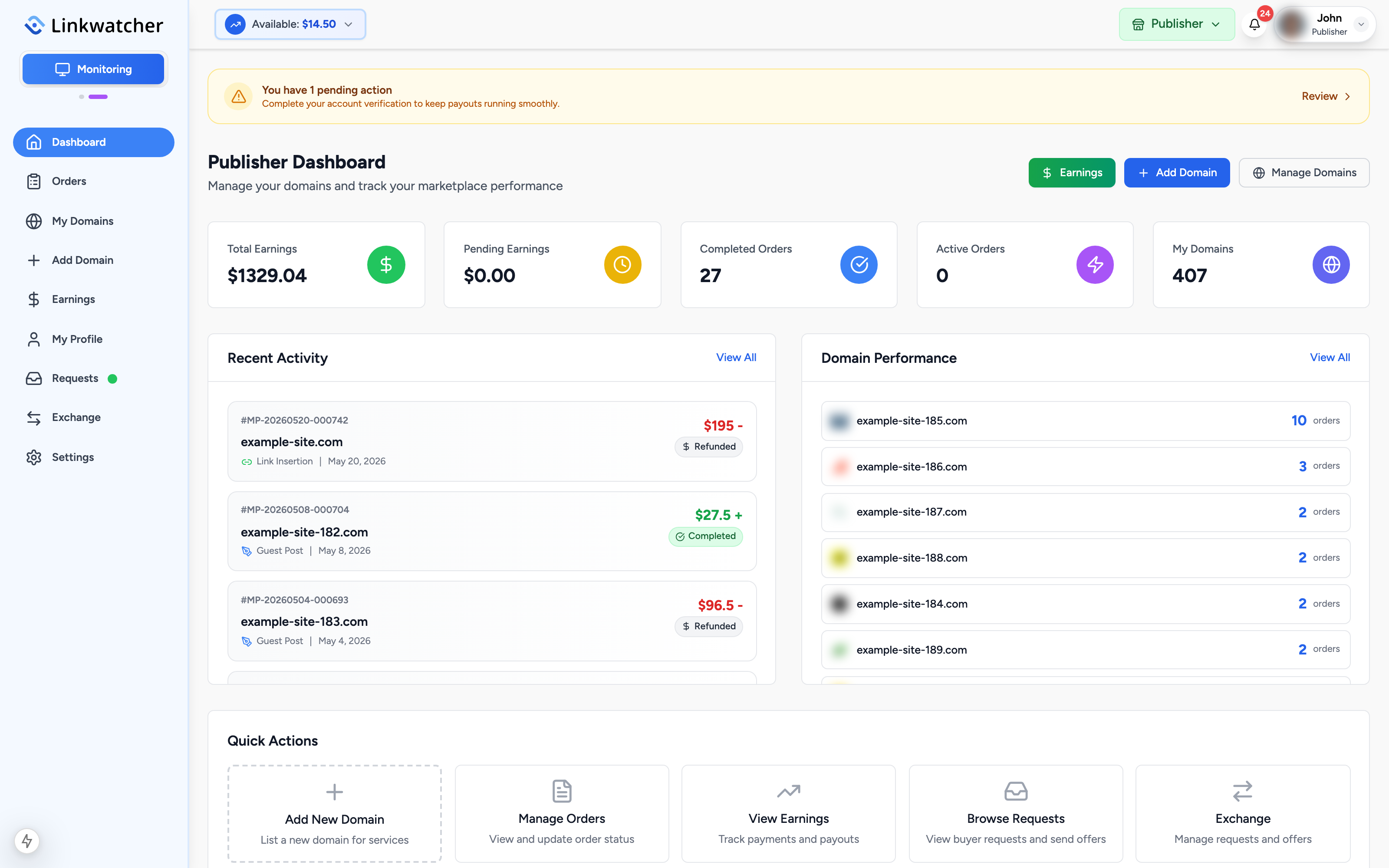
The dashboard is your home base. At the top you may see a pending actions banner, for example when account verification is needed. Click it to go straight to the task.
Below that, five cards summarize your account:
- Total Earnings: everything you have earned so far.
- Pending Earnings: money from orders that are still in progress.
- Completed Orders: how many orders you have finished.
- Active Orders: orders currently being worked on.
- My Domains: how many websites you have listed.
Two panels sit under the cards:
- Recent Activity shows your latest orders with their status and your earnings per order.
- Domain Performance lists your domains with their order counts, so you can see which sites attract the most business.
Navigation and quick actions
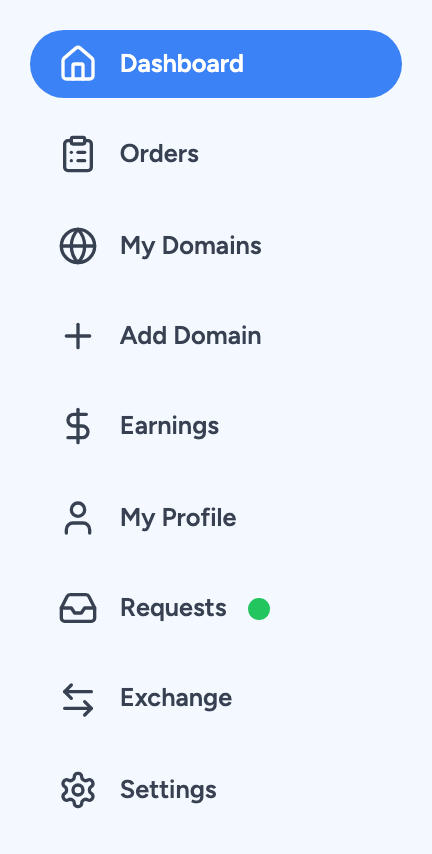
The publisher sidebar gives you access to everything:
- Dashboard: the overview described above.
- Orders: incoming and active orders to fulfill.
- My Domains: manage your existing listings.
- Add Domain: list a new website.
- Earnings: balance, earnings history, and payouts.
- My Profile: your public publisher profile.
- Requests: browse buyer requests and send offers.
- Exchange: trade placements with other publishers.
- Settings: profile, publisher information, payout methods, and account status.
The Quick Actions section at the bottom of the dashboard offers shortcuts to the most common tasks: adding a domain, managing orders, viewing earnings, browsing requests, and the exchange.
Recommended first steps
- Save your contact details (required, see above).
- Add your first domain and set your prices. See the "Add your domains" guide.
- Complete your publisher information under Settings, Publisher Information so payouts are not delayed later.
- Watch the Orders page and respond quickly. Fast, reliable delivery improves the completion rate badge buyers see next to your listings.